Customise your company payslip format

Updated May 23, 2026 2 min read Reviewed by The Payroll Success Team at Humanised

On this page
  1. Overview
  2. Step 1 – Go to company settings
  3. Step 2 – Find Payslip Customisations
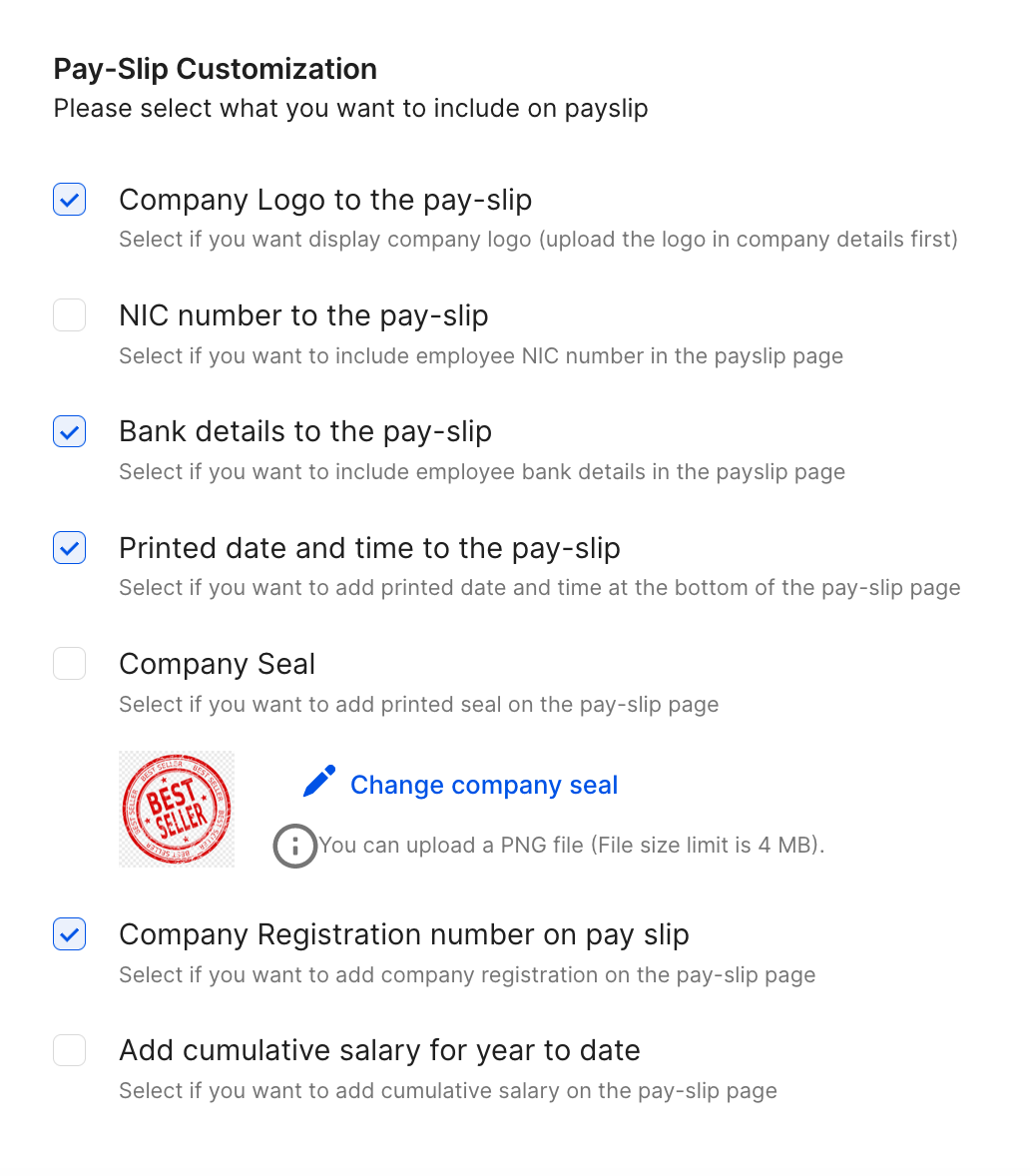
  4. 1. Company logo
  5. 2. NIC
  6. 3. Bank details
  7. 4. Printed date and time
  8. 5. Company seal
  9. 6. Company registration number
  10. 7. Cumulative salary for year to date
  11. What’s next?


This article is for owners and admins who use Humanised

Overview

Next step in your organisational onboarding is to customise your payslip template. Humanised already provides you with a comprehensive payslip template suitable to accomodate most of the HR and payroll management process in Sri Lanka. However, we also recognise that organisations sometimes prefer unique elements in their payslips

Step 1 – Go to company settings

Go to the last section on your left-hand navigation panel, the settings section. Click on “company settings”

Step 2 – Find Payslip Customisations

The standard payslip on Humanised already contains the most important details that you would expect on a payslip. However we realise that most companies prefers to add their own elements to their paylip to make it serve their employees better

You can choose to switch on any number of payslip customisation from the list, keeping in mind the structure and length of your payslip.

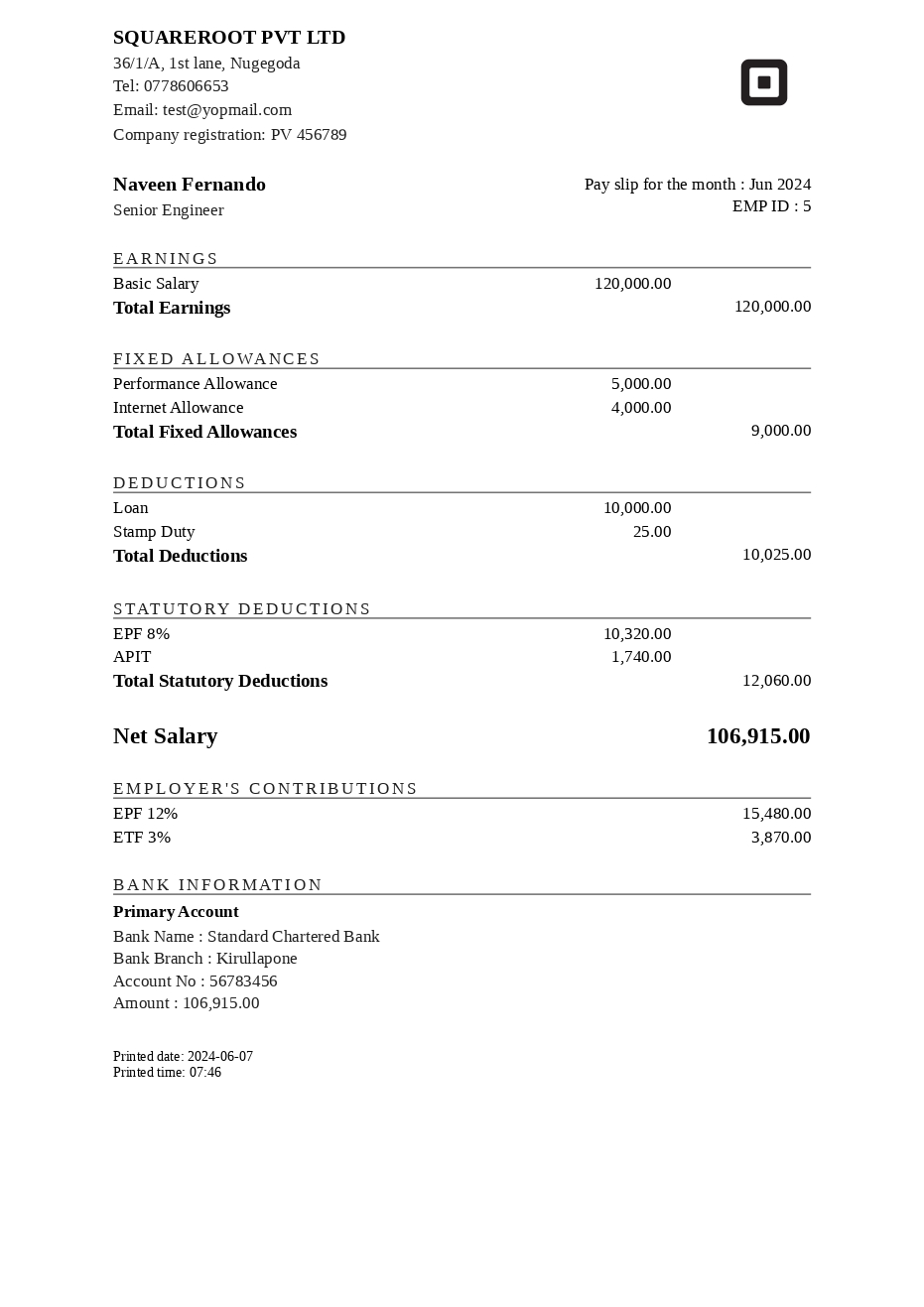
Even though you might have uploaded your company logo to the organization already, you can choose whether you want to add the logo to the payslip or not. Logo appears in the top right-hand corner of the payslip.

2. NIC

It appears under the employee name and related details.

3. Bank details

If you want to display the bank account you deposited the salary to and the deposit amount, switch this on

4. Printed date and time

This is typically used to make sure the payslips you issue are accepted by certain banks as proof of income for loan purposes

5. Company seal

This is also used to make sure the payslips you issue are accepted by certain banks as proof of income for loan purposes

6. Company registration number

Display your company registration number for added transparency and credibility

7. Cumulative salary for year to date

This is a rare requirement that often comes up with organizations originating from out of Sri Lanka. As you know the financial year is from April to March, when you withhold and remit income taxes (Payee/ APIT) for your employees. You can make sure that you are being transparent on how you handle these payments by displaying a separate column with the cumulative salary for the year to date. Everymonth, the payslip will have a cumulative salary column which shows the total up until the previous month.

Payslip Customisations

Sample Payslip

Was this article helpful?

Your feedback helps us improve these guides.

Thanks for the feedback — glad it helped.

Still need a hand?

A real human on our team will look at your ticket and come back to you — typically within a few working hours.

Open a support ticket