Made a mistake in a draft payrun

Updated May 23, 2026 3 min read Reviewed by The Payroll Success Team at Humanised

On this page
  1. Overview
  2. Why a clean payroll history is important
  3. Deleting a draft payrun
  4. What's next?:


This article is for owners and admins who use Humanised

Overview

Why a clean payroll history is important

Humanised payroll has afforded its users a few opportunities to rectify their mistakes than most payroll software. We recognize that payroll professionals often face impossible situations when the already confirmed payroll needs to be reedited. Sometimes due to requests from their clients (clients of payroll service providers), other departments in their organisation or employees themselves.

Therefore, there is an option of leaving a payrun as a draft until you are ready to confirm. Before we tell you how to do that, we want you to know that the following scenarios are sensitive to what you are about to do

Deleting a draft payrun

You don’t have to delete a draft payun if the error is something can be corrected within the payrun itself. This is why we have a draft status in the create payrun process. However, if you have made the payrun with a wrong pay cycle or name etc you’ll have to start over.

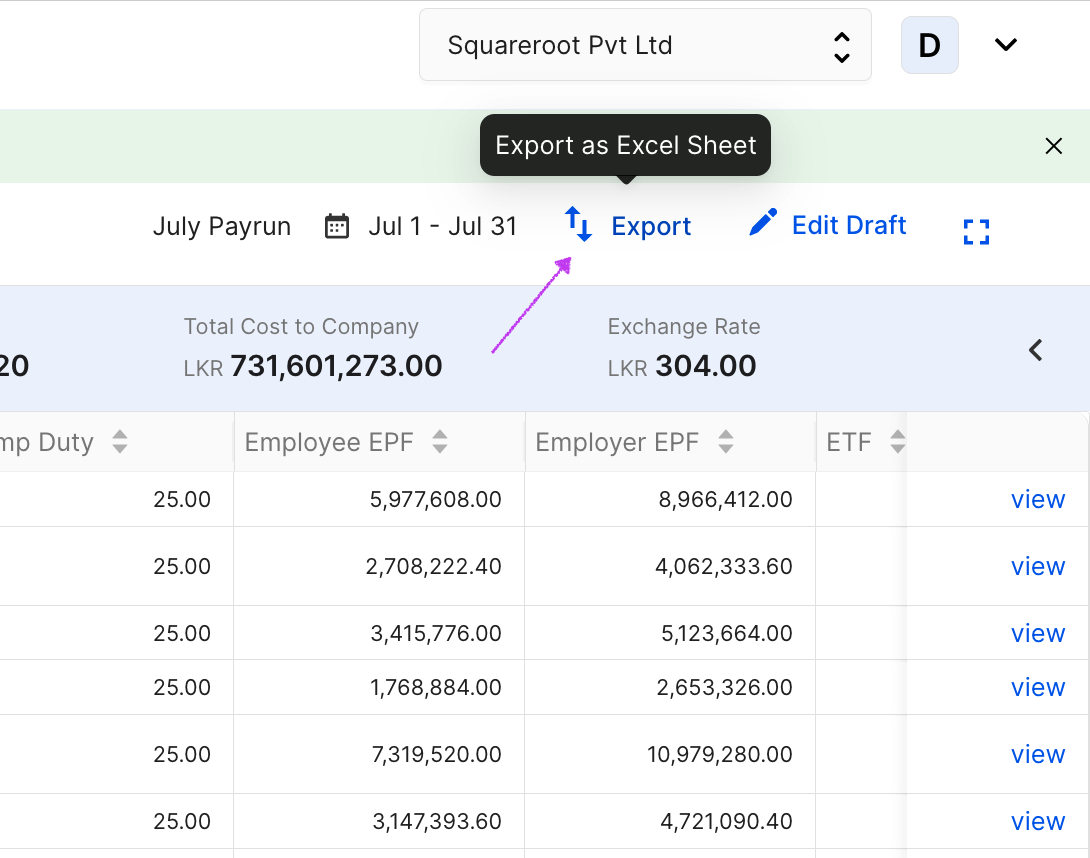
Export draft payrun
Figure 1 – Export draft payrun

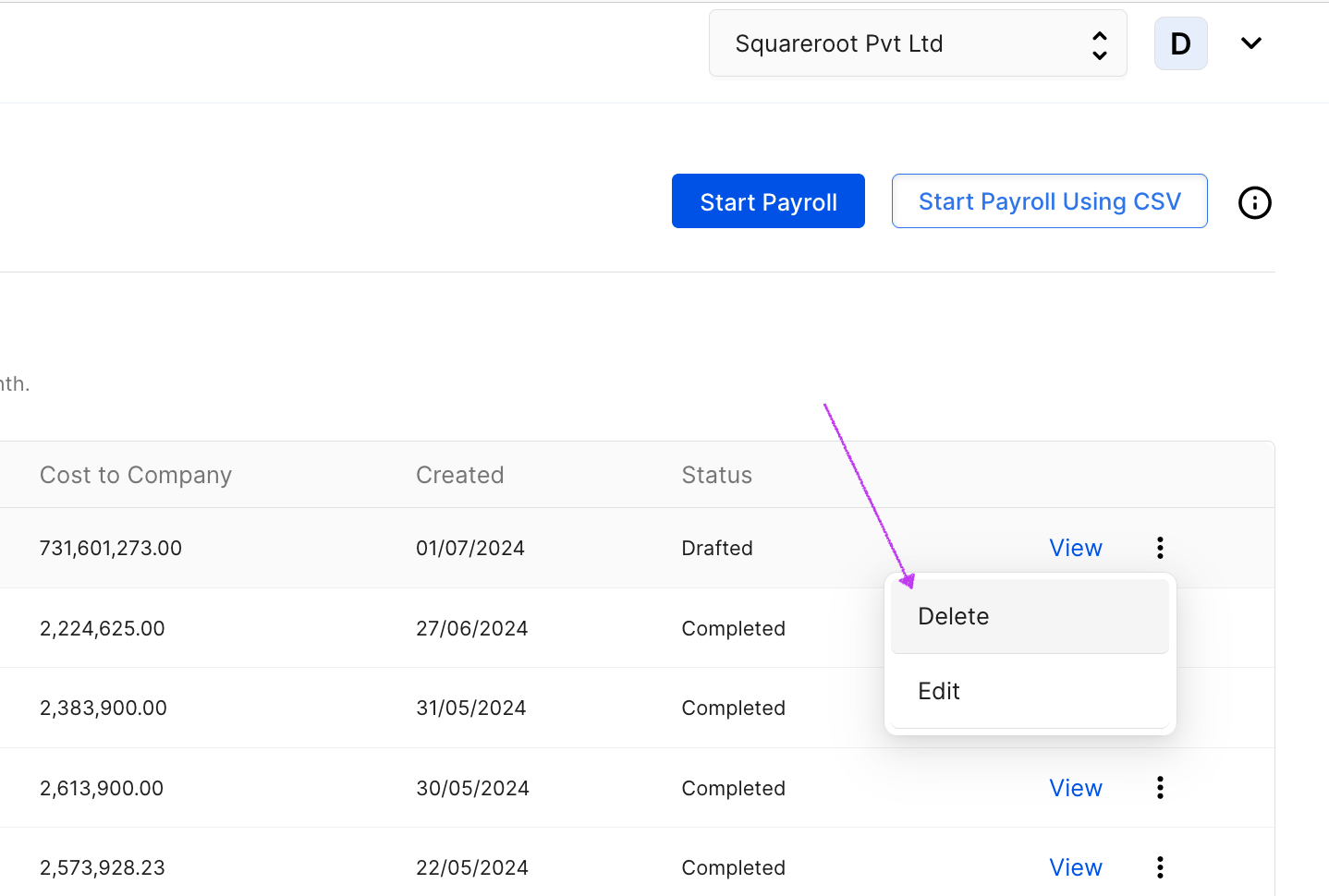
Delete draft payrun
Figure 2 – Delete draft payrun

Was this article helpful?

Your feedback helps us improve these guides.

Thanks for letting us know. Raise a support ticket and a team member will follow up.

Still need a hand?

A real human on our team will look at your ticket and come back to you — typically within a few working hours.

Open a support ticket