Add employees using the system

Updated May 23, 2026 1 min read Reviewed by The Payroll Success Team at Humanised

On this page
  1. Overview
  2. Adding Employees via "Add Contact"
  3. Option 1: Send out an onboarding form
  4. Option 2: Fill It Out Yourself
  5. What's next?:


This article is for Owners and admins who use Humanised

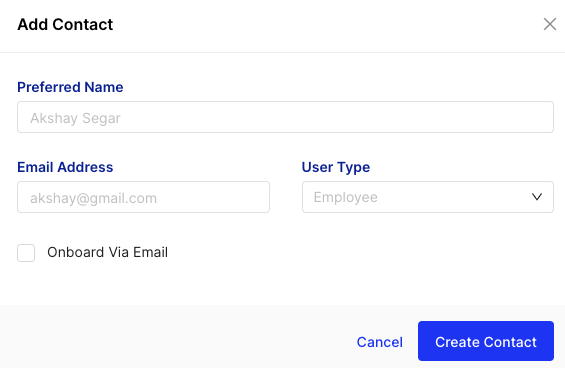
Adding Employees via “Add Contact”

Figure 1 – Pop-up window


You have two options for filling in the new employee’s information:

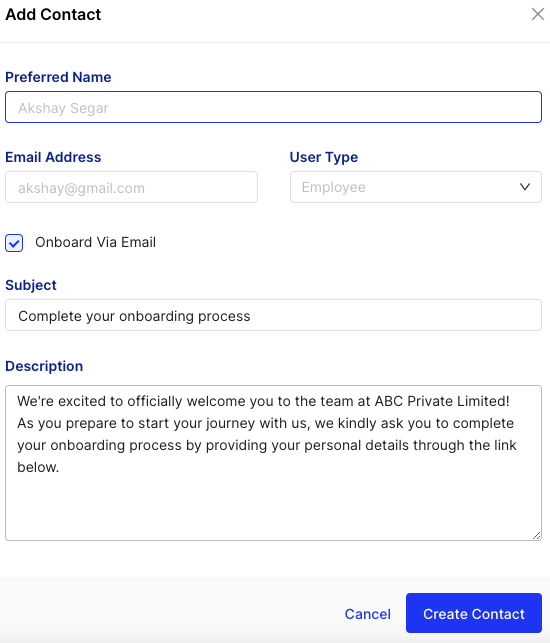
Option 1: Send out an onboarding form

Figure 2 – option 1

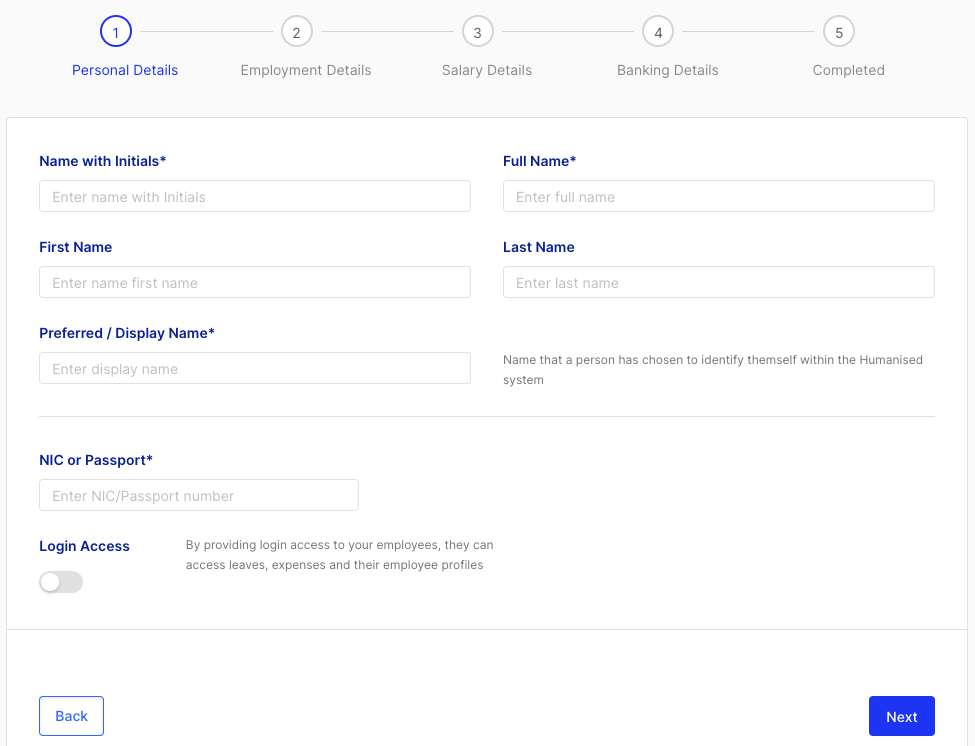
Option 2: Fill It Out Yourself

Figure 3 – option 2

What’s next?:

Was this article helpful?

Your feedback helps us improve these guides.

Thanks for letting us know. Raise a support ticket and a team member will follow up.

Still need a hand?

A real human on our team will look at your ticket and come back to you — typically within a few working hours.

Open a support ticket