

Startup
Click to add our high-value HRM package and access basic HR features, templates plus some insight, and scale your business.
LKR10,000/month
 Basic Contract Templates
- Basic Onboarding
- Up to 15 employees
- Basic Reports
Humanised is cloud payroll software for Sri Lankan accountants and bureaus who run payroll for several client companies. Switch between clients from one login, upload each client’s CSV or repeat last month, and produce payslips, bank files, EPF C-forms, ETF R4 and APIT schedules per client. Journals post to QuickBooks and Xero. From LKR 10,000/month per client company.
Updated
Book Free Demo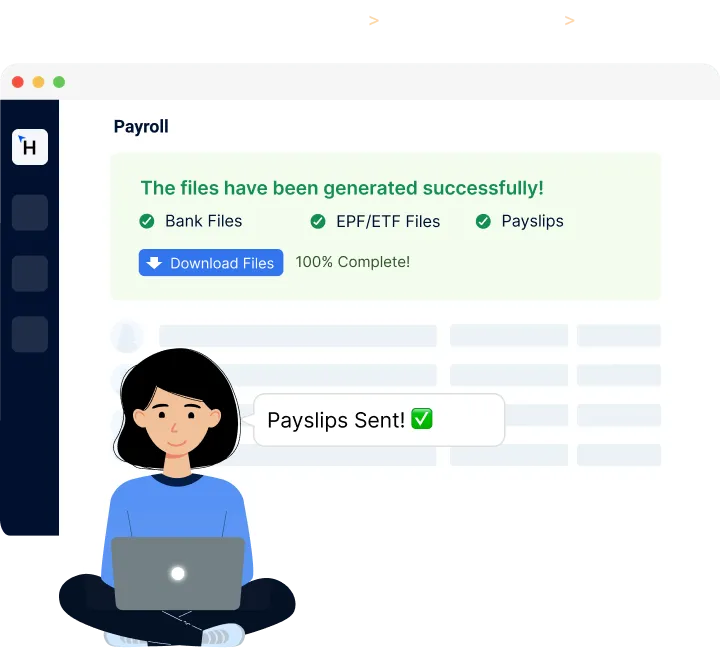
A bureau needs the same outputs for every client every month, produced from a CSV in minutes and signed off by the client before anything goes out. Humanised keeps each client company separate under one login, runs the statutory calculations, and hands back the files the bank, the EPF, the ETF Board and the IRD each expect.
One user account holds many companies. Each company keeps its own pay date, bank, allowances, leave rules and approvers; a client’s own HR person can be given access to approve their run without seeing any other client. Humanised was built with Sri Lankan chartered accountancy practices as its first users, which is why the workflow starts from a client CSV rather than from data entry.
| Output per client each month | Format |
|---|---|
| Payslips | PDF, email, app; Sinhala or English |
| Bank transfer file | The client’s bank’s bulk format |
| EPF C-form and e-return file | Per employer number |
| ETF R4 | Per employer number |
| APIT schedule | Per TIN; T10 and annual statement after 31 March |
| Pay summary and deductions report | Excel |
| Accounting journal | Posted to QuickBooks, Xero or Zoho Books, or exported |
The per-client headcount and pay-run report exports to Excel, so a firm that bills per payslip or per client per month has the numbers without counting. Humanised does not issue your client invoices; your practice software does.
IRD tables with their effective date shown; Table 2 bonuses and Table 5 cumulative cases.
APIT guide →Every change to a pay run is logged with who made it and when.
Each company is a separate entity in the system with its own users and roles; a client login sees only that company. Data is transferred over encrypted connections and every client’s data can be exported if they leave. Ask us on a demo about hosting and backups and we will show you the setup rather than describe it.
Account mapping is set once per client; each pay run then posts gross pay, EPF and ETF, APIT, loans and net pay to the right accounts. The integration is an add-on priced on the pricing page. See the integrations pages.
Per client we import a CSV of employees with EPF numbers, salaries and allowances, plus year-to-date figures if the switch is mid-year so the T10 is complete. A client of up to 50 staff takes an afternoon; run one month in parallel and go live.
Each client company is on its own tier: Startup LKR 10,000 a month up to 15 employees, Small Business LKR 25,000 up to 50, Enterprise by quote. No setup fee. Firms onboarding several clients should talk to us about a practice arrangement; see pricing.
Book a call now to:

Click to add our high-value HRM package and access basic HR features, templates plus some insight, and scale your business.
LKR10,000/month
Basic Contract TemplatesBasic OnboardingUp to 15 employeesBasic ReportsCheck out our quick contract templates and payroll features, and realise the Humanised advantage for small businesses.
LKR25,000/month
Basic Contract TemplatesBasic OnboardingUp to 50 profilesBasic ReportsRequest a demo now and leverage our full-scale HRM suite, with advanced reports, analytics and custom integrations for your business.
Custom
Custom Contract TemplatesOnboarding WorkflowsUnlimited ProfilesCustom ReportsCustom IntegrationsYes. One login holds many client companies, each with its own settings, users and outputs.
Yes. The client reviews the run in their own login and approves; the approval is recorded.
Payslips, the bank transfer file in the client’s bank format, the EPF C-form and e-return file, ETF R4, the APIT schedule, and a pay summary in Excel.
Yes, on our template, or repeat last month and edit.
Yes, and to Zoho Books, mapped once per client, as an add-on.
Each company is a separate entity with its own users and roles; a client login sees only that company.
Usually per payslip per month or a monthly fee per client; some bundle payroll into a retainer. The per-client headcount and pay-run report gives you the numbers to bill from.
Yes. Import year-to-date figures so the T10 and annual statement are complete.
Yes, after 31 March, per client.
Each client company is on its own tier from LKR 10,000 a month; firms onboarding several clients should ask us about a practice arrangement.
Software means your firm runs each client’s payroll in a system that does the calculations and files; outsourcing means you hand the work to another bureau. Many firms use Humanised to offer payroll as a service themselves.
Yes: a seven-day trial with your first client set up by our team; run it in parallel with last month’s Excel.